GEOD
output
Specifying the output scale with the output command
The output command is used to select the scale at which the cross-section will be printed.
By default, GEOD prints the document at the same scale as on the screen, that is, enlarged by a factor of 2.54. In other words, the centimetre squares of graph paper measure 2.54 cm on the screen and on paper.
Thus, figure 1 shows the result obtained when printing a cross-section drawn at a scale of 1:50,000, this scale having been specified by a unitbase 5 instruction. See the command unitbase.
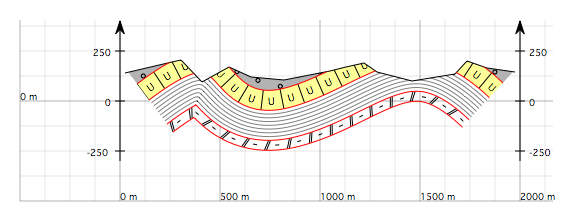
Figure 1 : Cross-section drawn at a scale of 1:50,000, with each centimetre square of graph paper corresponding to 500 metres in the field, but printed with an enlargement factor of 2.54.
To print a figure at its true scale, one must use an output instruction with the following syntax:
output e
where e is the output scale of the document for printing.
To print the cross-section of figure 1 at a scale of 1:50,000, one writes:
output 50000
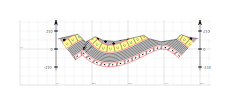
Figure 2 : Same cross-section as in figure 1, but now correctly printed at a scale of 1:50,000 thanks to an output 50000 instruction. Note: the image above is in PNG format, but the image quality will be much better in PDF format.