GEOD
intersection
Finding curve intersections with the intersection command
The intersection command is used to search for the intersections between curves.
GEOD provides a command that highlights the intersections between two curves, for example between a bed boundary and the topographic profile. This command is intersection, and it is used with the following syntax:
intersection line1 line2
where line1 and line2 are the names of two curves.
By default, this instruction displays small squares at the intersection points.
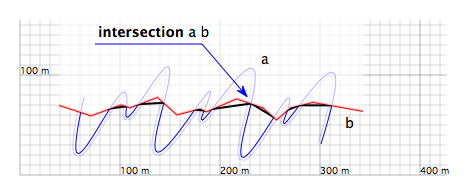
Figure 1: Small black squares mark the intersections between the blue curve named a and the red curve named b. They were produced by the instruction intersection a b.
These small squares may optionally be replaced by a line connecting the intersection points. To do so, the instruction solid must be added after the intersection instruction. In fact, all the subcommands available for the line command may be used to control its appearance.
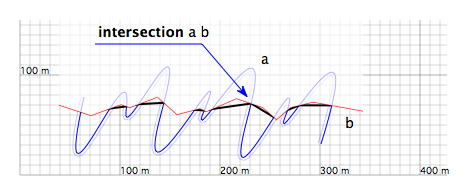
Figure 2: The black line shown here connects all the intersection points of the blue curve and the red curve. It was produced by the instruction intersection a b solid width 3. The part of the cross-section above the red curve has been partially erased.